en


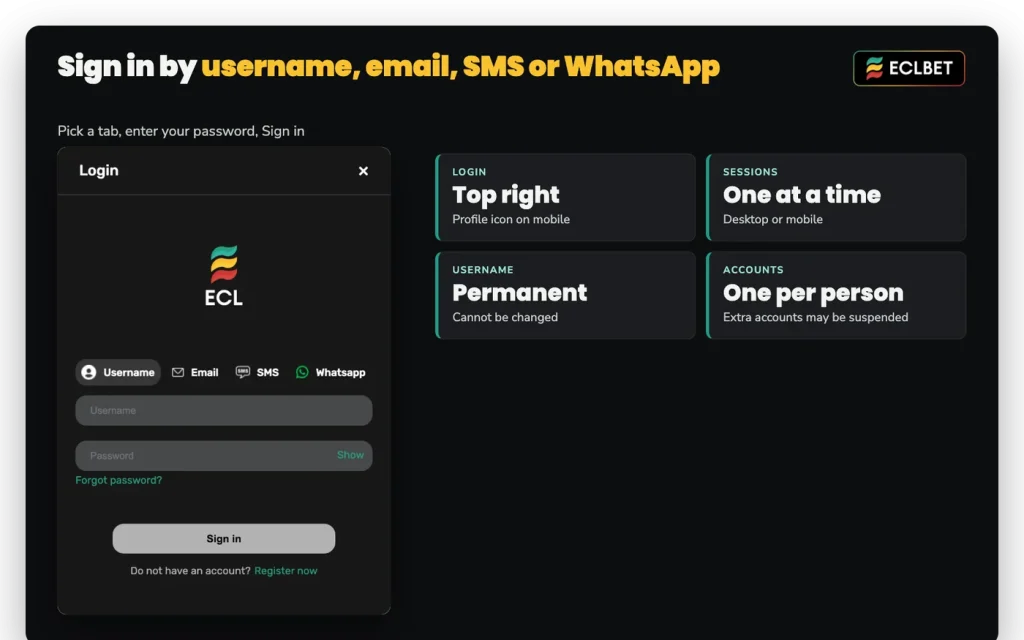
Signing in needs two things: an account identifier and your password. The login window lets you identify the account by Username, Email, SMS or WhatsApp, using the tabs above the fields. This page covers where the login sits on desktop and mobile, how to register if you do not have an account yet, how to reset a password you have lost, and what to check when a sign-in attempt refuses to go through. Everything here applies to our Malaysia server, in ringgit.
On a computer, Login sits at the top right of the lobby. Pick the tab you want, enter your username, email or phone number with your password, press Sign in, and the member menu becomes available: Deposit, Withdrawal, Transfer, History, Rebates, VIP and the rest. On a phone, the account options sit behind the profile icon at the top right, and the same username and password apply.
Before you sign in, check the Region switch. We run separate servers for Malaysia, Singapore and Vietnam, so your ECLBET Malaysia login belongs to the RM server, where balances, deposit minimums, rebates and VIP thresholds are all in ringgit. An account created on one server is not a key to another.
One detail to keep in mind before you go hunting for a cashier: deposit methods only become visible after you are logged in. The same is true of the Voucher panel. So if you are comparing what our Malaysia platform offers before committing, read the rules here and open the cashier afterwards.
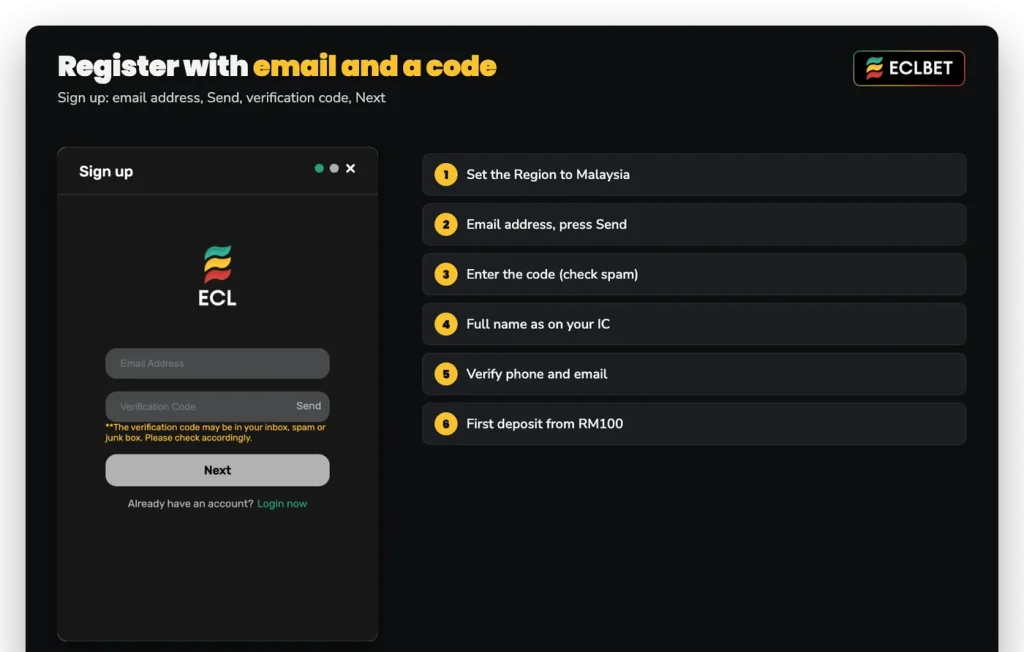
Registration is short. Register sits beside the login at the top right on desktop; on a phone, open the profile icon and choose Register Now. The Sign up window starts with your email address: press Send, enter the verification code from your inbox (check spam or junk if it is not there), press Next and complete the remaining details, and accuracy matters more than speed, because the name you give is the name your bank account and any future withdrawal must match.
Two account rules apply from the moment you register. One account per person, and additional accounts may be suspended. You also need to be 18 or older, or older still where your local age of majority is higher, and the terms put the duty of checking what your local law allows on you rather than on us.
Your region is set to Malaysia and your details are ready. The cashier, the game clubs and the member menu open the moment you are signed in.
Work through this checklist in order before contacting anyone:
A different situation produces a different symptom. If you were signed in and suddenly found yourself logged out, the likely cause is the session rule rather than a fault. Only one session can be open at a time, so signing in on a computer ends the session on your phone, and signing in on your phone ends the session on your computer. If you move between devices often, choose one as your main device and use the other deliberately. If the phone is that main device, install the app and sign in there.
Scheduled work is the other explanation. When we upgrade the servers, the notice goes on the Update page, so check there if the lobby itself is not responding the way it normally does.
The reset is self-service. Open Forgot Password on the login form and pick a channel: email, SMS or WhatsApp. Enter the email address or phone number registered on the account, press Send, then enter the verification code you receive and set a new password. Sign in with the new password from then on.
Keep in mind
Resets by SMS and WhatsApp only work for a phone number already verified in your account settings. Verify your phone while you still have access, because the verification itself happens inside the account you are trying to recover.
That restriction exists for a good reason. Without it, anyone who reached an open session could add a fresh number and push a password reset through it. With it, the only phone that can receive a reset code is one you confirmed earlier. Email remains available as a channel in the meantime, so an unverified number is an inconvenience rather than a dead end.
If the problem is that you cannot remember which username or which contact details the account uses, Live Chat is the route. Open a chat and give whatever you do remember, such as your full name, and our team will work from there. Do not register a second account to get around it, since that creates the suspension risk described above.
A few minutes spent on account settings early saves a slow conversation later. Verify both your phone and your email: the pair is required before you can redeem a voucher or take part in the angpao drops we run inside ChitChat, and the verified phone is what keeps the SMS reset route open.
Then check the name on the account against the name on your bank account. Deposits and withdrawals must use bank accounts in your registered name, and accounts belonging to someone else may be rejected. Your registered name also locks once you redeem a voucher, which is why the full name as printed on your IC is the right thing to enter at registration rather than a short form or a nickname.
Multiple bank accounts are fine, as long as every one of them carries that same registered name.
Our web addresses are listed on the About Us page inside the platform, which also links the current one. Open it once from a session you trust, bookmark an address from that list, and use that bookmark afterwards. A look-alike sign-in page is the oldest trick in this industry: it copies the layout, takes your username and password, and shows an error while you type them a second time on the real site.
Two habits close most of the remaining gap. We never ask for your password or a verification code, so any message requesting either is not from us, whatever name or logo it carries. And an Android install file should only ever come from the download button inside the official platform, because an app package from a third-party site can imitate the login screen just as easily as a web page can.
If your password has been typed into a page you are unsure about, change it through Forgot Password straight away and tell Live Chat.
These are the fixed points behind everything above, in one place.
| Detail | Value |
|---|---|
| Login location | Login, top right of the lobby; profile icon at the top right on mobile |
| Registration location | Register, top right; Register Now behind the profile icon on mobile |
| Password reset channels | Email, SMS or WhatsApp (SMS and WhatsApp need a verified number) |
| Username change | Not possible once the account is created |
| Sessions | One at a time, desktop or mobile |
| Accounts per person | One; additional accounts may be suspended |
| Minimum age | 18, or the higher local age of majority |
| Support | 24/7 Live Chat, plus a phone line from 12 pm to 10 pm and email |
One last point that is easy to miss. An account with no login for 12 consecutive months may be closed and its balance forfeited, so if you keep a balance with us between seasons, sign in from time to time even when you are not playing.